
Events
Recurring & Copying Events
Recurring events are currently supported in DanceCloud by copying an event to a new date. We plan to add better support for recurring events in the near future.
Copying an Event
To copy an event, it must first be published. From the event page in your organiser account, choose the "Settings" tab, then the "Actions" sub-tab
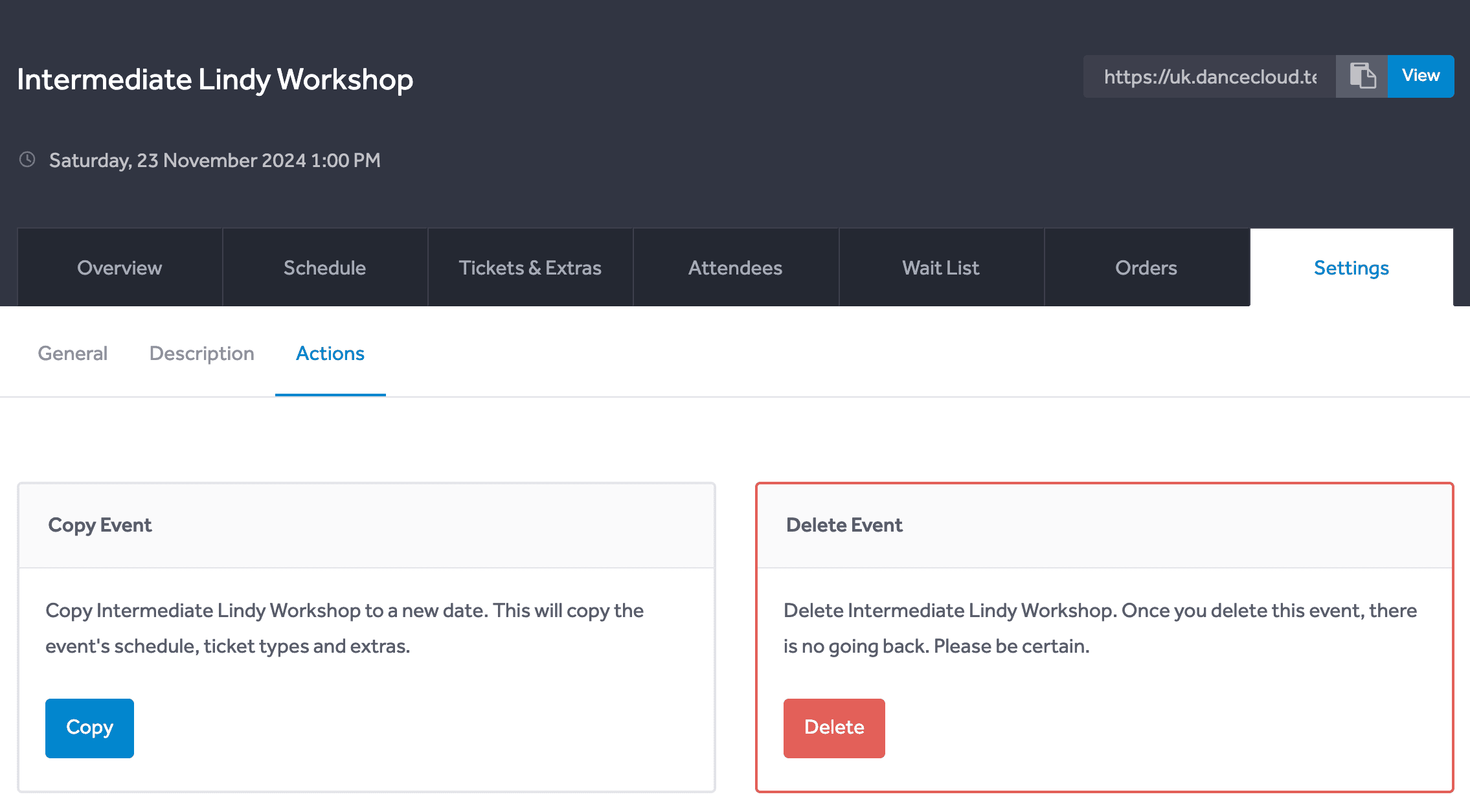
Use the blue "Copy" button. This will load a modal in which you can select the date and time to copy the event to.
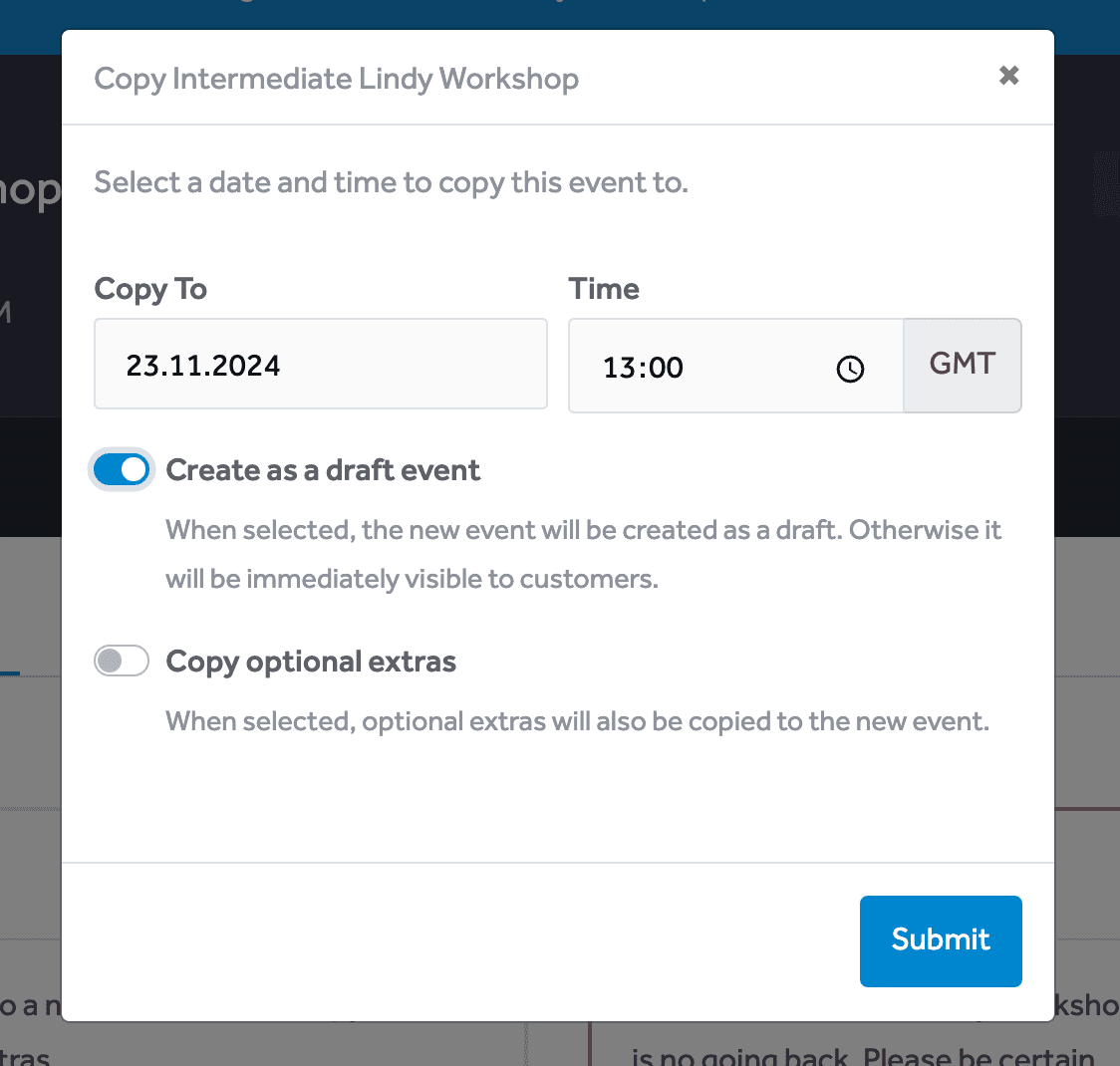
You can choose whether the event is copied as a draft, or immediately published for customers to see.
Additionally, you can select whether optional extras as copied as well.